MPRIS
MPRIS is a standard interface for communicating with Music Players on linux operating systems.
If you run Linux and have a notification tray that shows what media you are listening to, you likely have access to MPRIS.
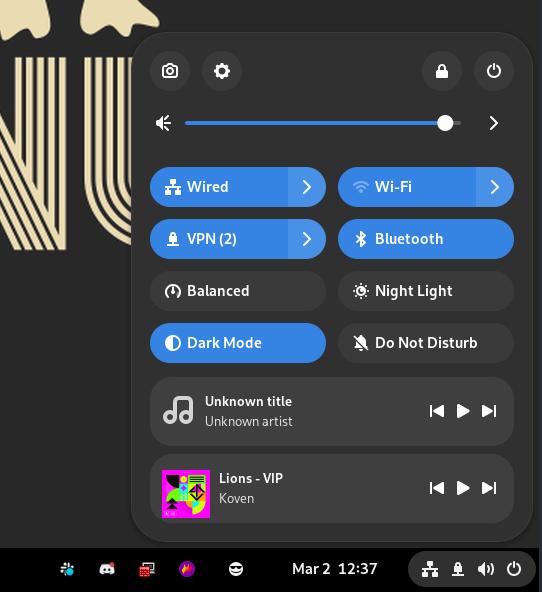
multi-scrobbler can listen to this interface and scrobble tracks played by any media player that communicates to the operating system with MPRIS.
Host Setup
MPRIS communication requires multi-scrobbler to have access to the host's dbus-daemon.
- Local
- Docker
If multi-scrobbler is running as a Local Installation, directly with node/npm, on the same host as MPRIS then no setup is required.
Remote setup is also possible, see the Remote Unix Socket section in the Docker tab.
If multi-scrobbler is running as a Docker Container some modifications are required...
Local Unix Socket
The most secure way is to run a multi-scrobbler container on the same host as MPRIS. In this scenario you can simply mount the user session dbus unix socket into the container. Make sure PUID and PGID ENVs are configured so the container has permissions to access the socket. Then, modify your compose stack with these additional values:
    environment:
    - DBUS_SESSION_BUS_ADDRESS=unix:path=/run/user/UID/bus

    volumes:
    - /run/user/UID/bus:/run/user/UID/bus:ro
Remote Unix Socket
This method is insecure. You should not expose dbus over a network unless access to the port is restricted and the network is trusted.
Use socat to bidirectionally relay communication from the host's dbus socket to a listening TCP port.
To make dbus for user with uid 1000 available on port 6644:
socat TCP-LISTEN:6644,reuseaddr,fork UNIX-CONNECT:/run/user/1000/bus
Then, add the following value to multi-scrobbler's ENVs:
DBUS_SESSION_BUS_ADDRESS=tcp:host=yourHostIP,port=6644
Configuration
- ENV
- File
- AIO
This is configuration for the ENV Config Type.
| Environmental Variable | Required? | Default | Description |
|---|---|---|---|
| MPRIS_ENABLE | No | Use MPRIS as a Source (useful when you don't need any other options) | |
| MPRIS_BLACKLIST | No | Comma-delimited list of player names not to scrobble from | |
| MPRIS_WHITELIST | No | Comma-delimited list of players names to ONLY scrobble from. Overrides blacklist |
Config Structure
This displays the structure of the File Configuration for a mpris type Source with all possible properties, their shape, and descriptions/types. Use this to understand how to write a valid config.
Config Example
This displays an example config file of a mpris Source File Configuration that adheres to the shown Config Structure.
- text mode lets you edit the JSON directly.
- tree mode gives you a guided point-and-click editing experience that always keeps the JSON syntax valid.
Both modes validate that the configuraion is correct. Any errors show up as squiggly lines.
After you finish editing, switch to text and then copy all text to get a completed config.
Config Example Mobile Experience
This displays an example config file of a mpris Source File Configuration that adheres to the shown Config Structure.
The example config file editor is meant for a larger screen experience so only the read-only example is shown. Please use this site on a tablet/laptop/desktop to enable file editor features.
[
  {
    "name": "ubuntu",
    "enable": true,
    "data": {
      "whitelist": [
        "vlc",
        "mpd"
      ],
      "blacklist": [
        "spotify"
      ]
    }
  }
]
Config Structure
This displays the structure of the all-in-one (config.json) configuration with all possible properties, their shape, and descriptions/types. Use this to understand how to write a valid config.
Select the mpris type from the respective sources node below, then expand it.
Config Example
This displays an example config file of a all-in-one (config.json) configuration that includes a mpris Source that adheres to the shown Config Structure.
- text mode lets you edit the JSON directly.
- tree mode gives you a guided point-and-click editing experience that always keeps the JSON syntax valid.
Both modes validate that the configuraion is correct. Any errors show up as squiggly lines.
After you finish editing, switch to text and then copy all text to get a completed config.
Config Example Mobile Experience
This displays an example config file of a all-in-one (config.json) configuration that includes a mpris Source that adheres to the shown Config Structure.
The example config file editor is meant for a larger screen experience so only the read-only example is shown. Please use this site on a tablet/laptop/desktop to enable file editor features.
{
  "sources": [
    {
      "name": "ubuntu",
      "enable": true,
      "data": {
        "whitelist": [
          "vlc",
          "mpd"
        ],
        "blacklist": [
          "spotify"
        ]
      },
      "type": "mpris"
    }
  ]
}